
The Baby Monitor Guide for Modern Mothers
This post may contain affiliate links, which means I may earn a small commission at no additional cost to you.
a mom of six, I’ve been buying baby monitors for over a decade—and I’m still looking for the perfect one.
At this point, it honestly feels like we can put men on the moon… but we still can’t make a truly reliable, fantastic baby monitor.
I’ve tried the basic ones, the high-tech ones, the breathing monitors—all of it. My babies tend to be born small and premature, so having a reliable monitoring system isn’t optional—it’s essential. But more often than not, these monitors end up being more complicated than I can manage in the middle of sleepless nights and that new baby fog.
Real moms don’t need a million features. We just want something dependable.
As I get ready to welcome another beautiful daughter, I’m testing different baby monitor options to find one that truly works—something that will give my husband and I real peace of mind in the middle of the night.
Owlet Monitor — Not Recommended
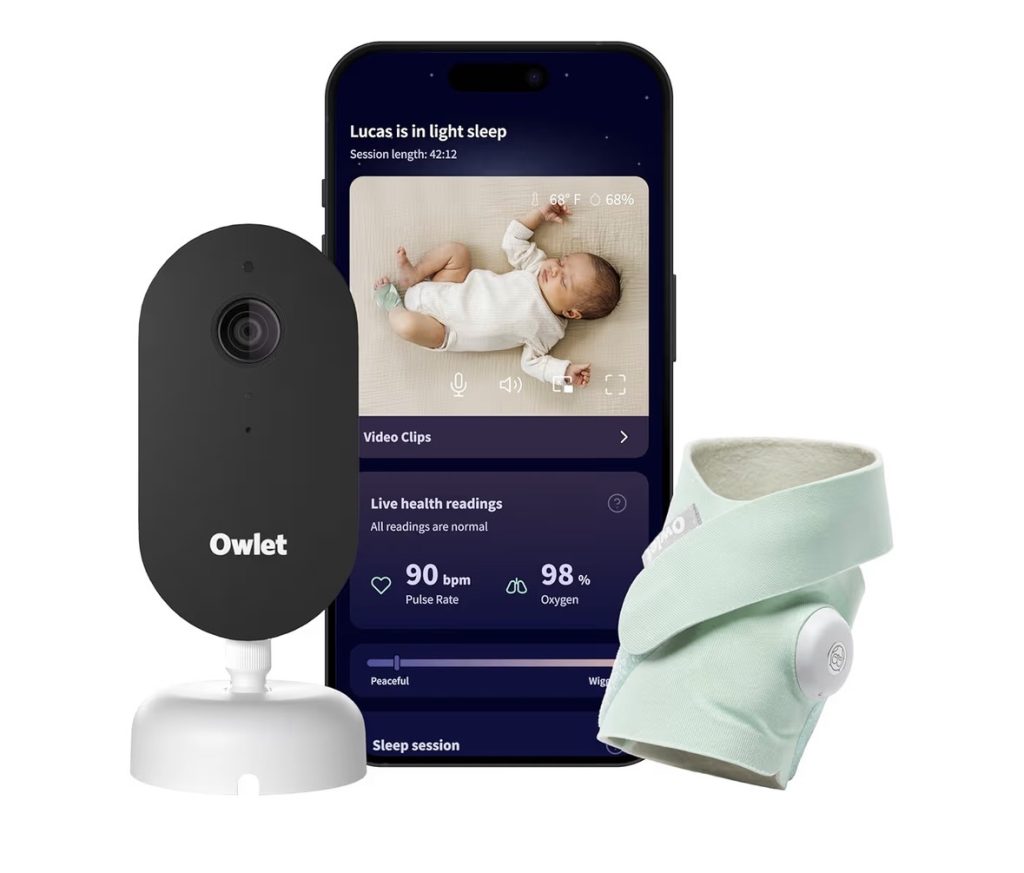
Owlet is considered the “go-to,” the best, the baby monitor that all moms want. But not this mom.
I’ve tried the Owlet twice. I shouldn’t have given it a second shot, but I feel like we’re all kind of conditioned to want to use the Owlet brand. But once you start digging, the poor reviews are everywhere.
I’ve never had it work seamlessly. It unpairs constantly. I’ve had pieces that wouldn’t pair at all and had to be sent in for replacements. Customer service requires so much information—it took multiple back-and-forth emails and photos just to get replacement parts, even for items that never worked once.
The directions are hard to follow, the app is glitchy, and the alarm goes off constantly. It never feels like a smooth, reliable system.
One of my units had a strange film on it after removing the safety paper that I could never fully clean. And at one point, I was told to return a piece with zero return instructions or even an address.
Snuza Hero Baby Movement Monitor — Recommended (With Limits)

I’ve bought two different versions of the Snuza, and overall, I do like it—for what it is.
What I love about it is how simple it is. You clip it onto the diaper and that’s it. No setup, no syncing, no screens, no WiFi. If no movement is detected for 20 seconds, the alarm sounds.
I’ve actually had it alert me before—one of my babies threw up in the night and was choking on it, and the alarm went off. That alone made it worth it to me.
It’s also really useful in situations like night driving, when your baby is in the backseat and hard to see. And because it doesn’t rely on WiFi or power, it still works during outages—something most monitors can’t do.
That said, this is not a full baby monitor.
There’s no video, no audio, no way to see or hear your baby. You can’t put this on your baby and go downstairs expecting to know when they wake up. This is strictly a breathing/movement monitor.
I’ve also read concerning stories about these types of monitors—situations where a parent or pet rolls into the baby, and the device doesn’t alert because it’s still detecting movement or breathing.
So while I do recommend it as a helpful tool in certain situations, I would never rely on it as a complete monitoring system.
HelloBaby Monitor — Recommended
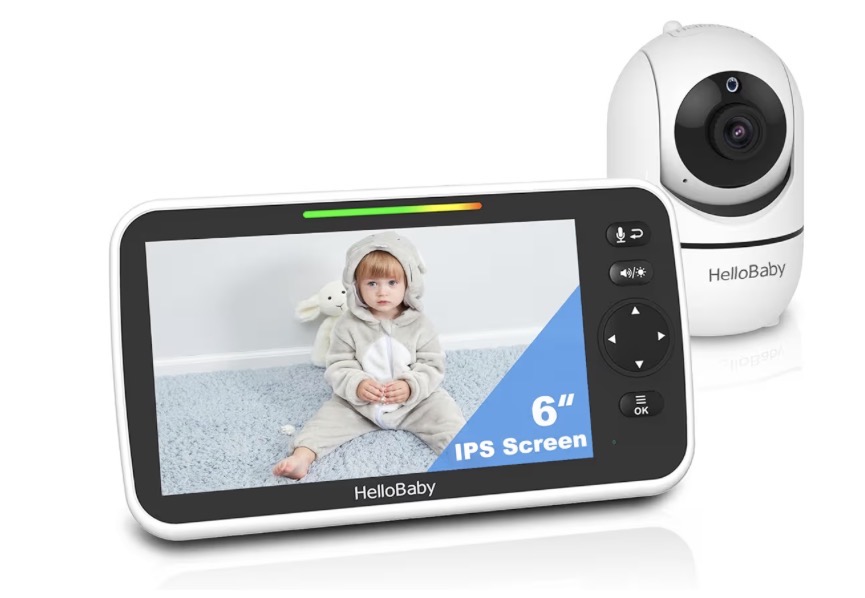
This one is completely different from the high-tech monitors—and honestly, that’s why I like it.
No WiFi. No app. No pairing. No troubleshooting in the middle of the night.
You turn it on, it connects, and it just works.
After dealing with glitchy systems, that simplicity feels like a breath of fresh air.
The screen is large and easy to see, which I really appreciate when I’m half asleep and just want to quickly check on my baby without grabbing my phone. You can pan, tilt, zoom, talk through it, and it has night vision—so it covers everything you actually need without overcomplicating things.
A lot of moms love this style of monitor because it uses a closed connection instead of WiFi, so you don’t have to worry about apps crashing or connection issues.
That said, this isn’t a “smart” monitor. It’s not tracking breathing or giving you data or insights. And the video quality isn’t going to feel super high-tech—it’s more practical than fancy.
But if you’re like me and just want something dependable that lets you see and hear your baby without fighting technology, this is a really solid option.
It’s simple. And honestly, that’s kind of the whole point.
Nanit Monitor — Recommended (for high-tech moms)
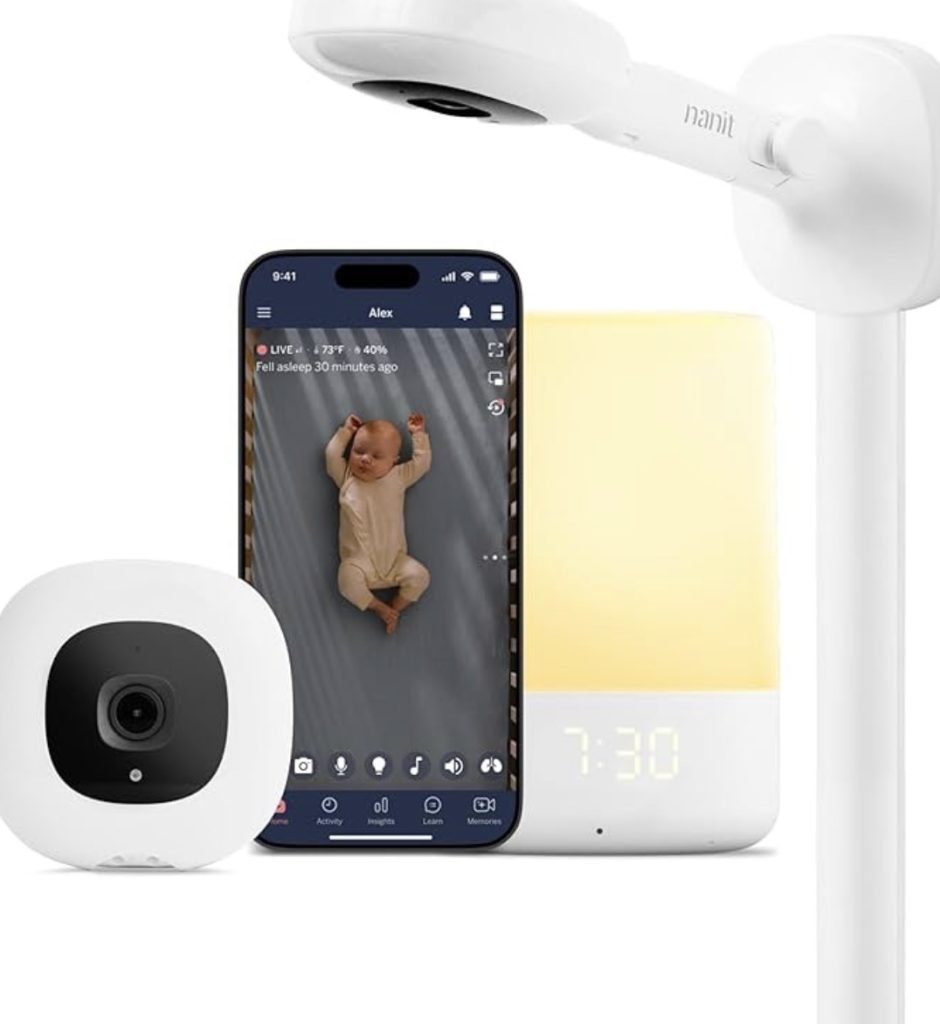
This monitor works a little differently than most.
Instead of attaching something to your baby, it uses a breathing band with a pattern on it, and the camera tracks your baby’s breathing by watching that pattern move. So your baby still has to wear something specific—but there’s nothing electronic on them.
The video quality is great, the app is smooth, and I do really like the overhead view of the crib. It feels very clear and intentional. You also get sleep tracking, alerts, and all the data if you’re someone who likes that kind of insight.
But this is definitely one of the more “involved” systems.
It relies on WiFi and an app, some features require a subscription, and it usually only comes with one breathing band—which means you’ll likely need to buy more pretty quickly. Between extra sleepwear and subscriptions, the cost can add up fast.
Overall, it’s a really nice, high-tech option if you want all the features and data.
But if you’re just looking for something simple that works without thinking about it, this might feel far too complicated.
Monai Baby Monitor — Recommended (budget smart monitor)
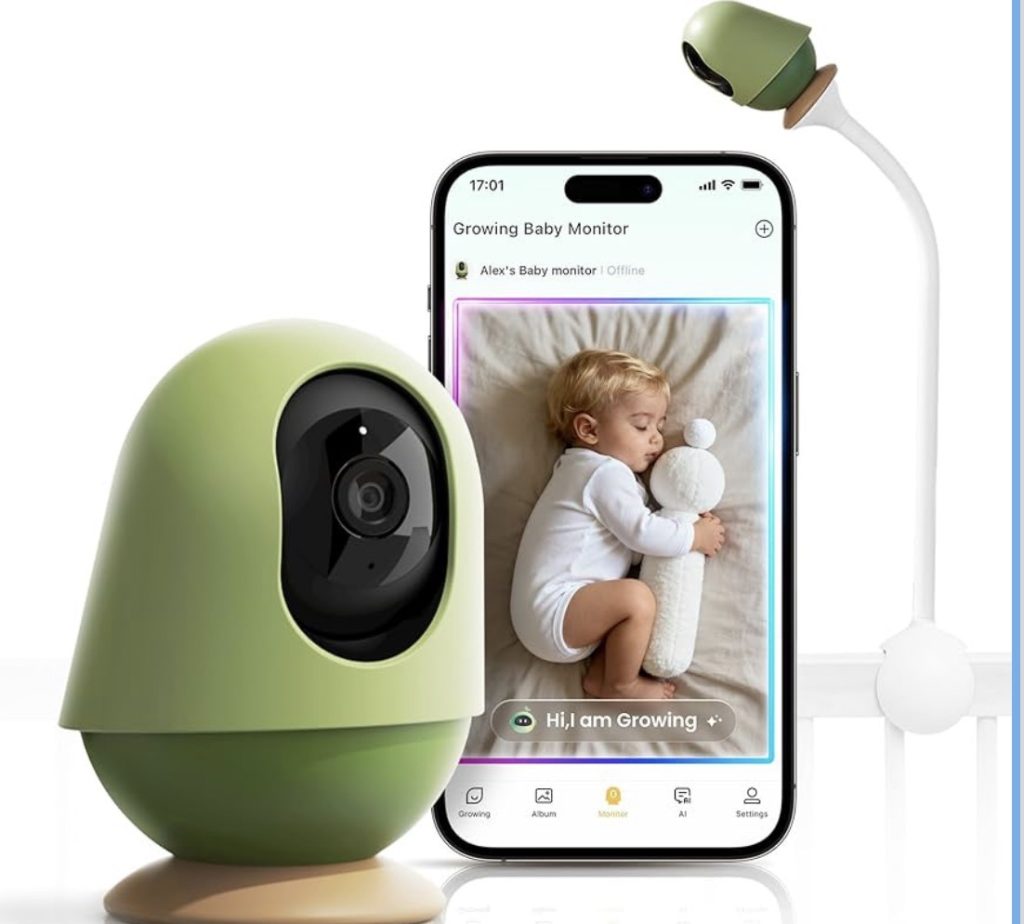
This one is definitely more of a “smart” monitor—but without the high price tag of something like Nanit.
It connects to your phone and has a ton of features built in—cry detection, sleep tracking, alerts if your baby’s face is covered, even things like auto tracking and a virtual boundary. It also doesn’t require a subscription, which is a big plus compared to a lot of the other app-based monitors.
The video quality is really sharp, and you can check in from anywhere, which is nice if you’re not always in the same room or even the same house.
That said, it’s still a WiFi-based system, so you’re relying on an app and connection to make it work. And with all the AI features, it can feel like a lot—especially if you’re just looking for something simple and dependable.
Overall, it’s a really solid option if you want a lot of features without paying premium prices.
But if you’re already overwhelmed by tech or just want something that works without thinking about it, this might feel like more than you need.
Simsky Dual Camera Monitor — Recommended (for multiple kids)
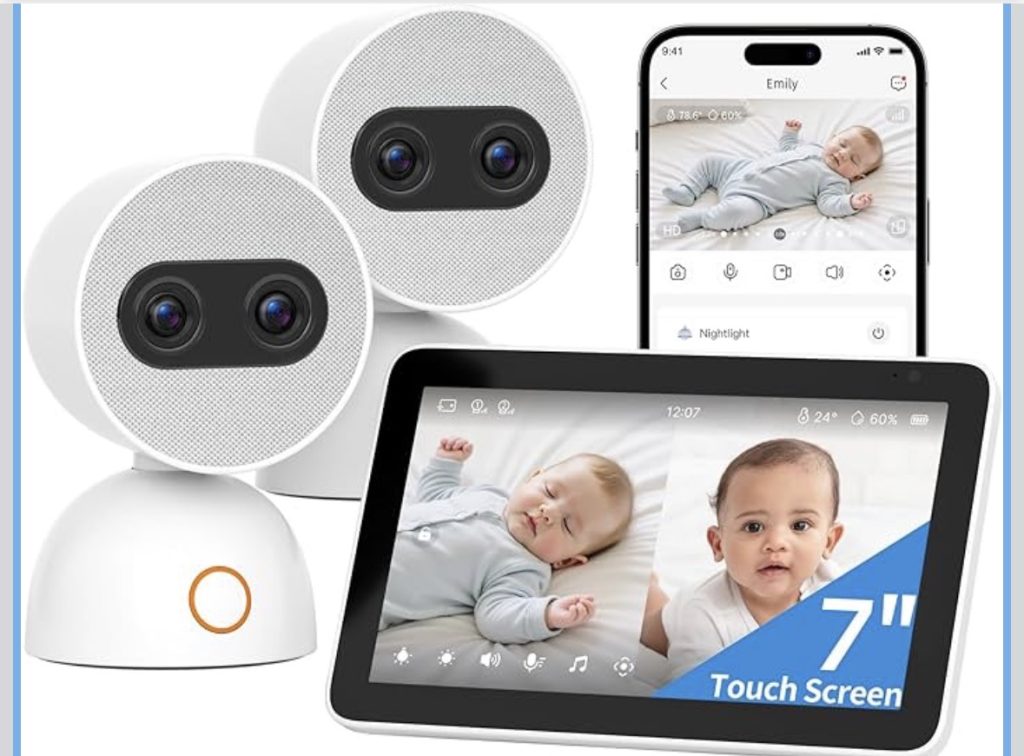
If you have a toddler running around and a baby sleeping, this kind of setup is a game changer.
You can have one camera on your baby in the crib and another on your toddler playing—and watch both at the same time on a split screen. No switching back and forth, no guessing who needs you.
This one comes with a dedicated screen, which I really like because you’re not stuck using your phone all day.
The screen itself doesn’t require WiFi, which makes it more reliable. If you want to check in from your phone while you’re out, then it does use WiFi and an app for that.
I actually do recommend this type of monitor—especially if you have multiple kids. It’s one of the most practical setups I’ve found.
iBaby i20 Contactless Baby Monitor — Recommended for Newborns Only
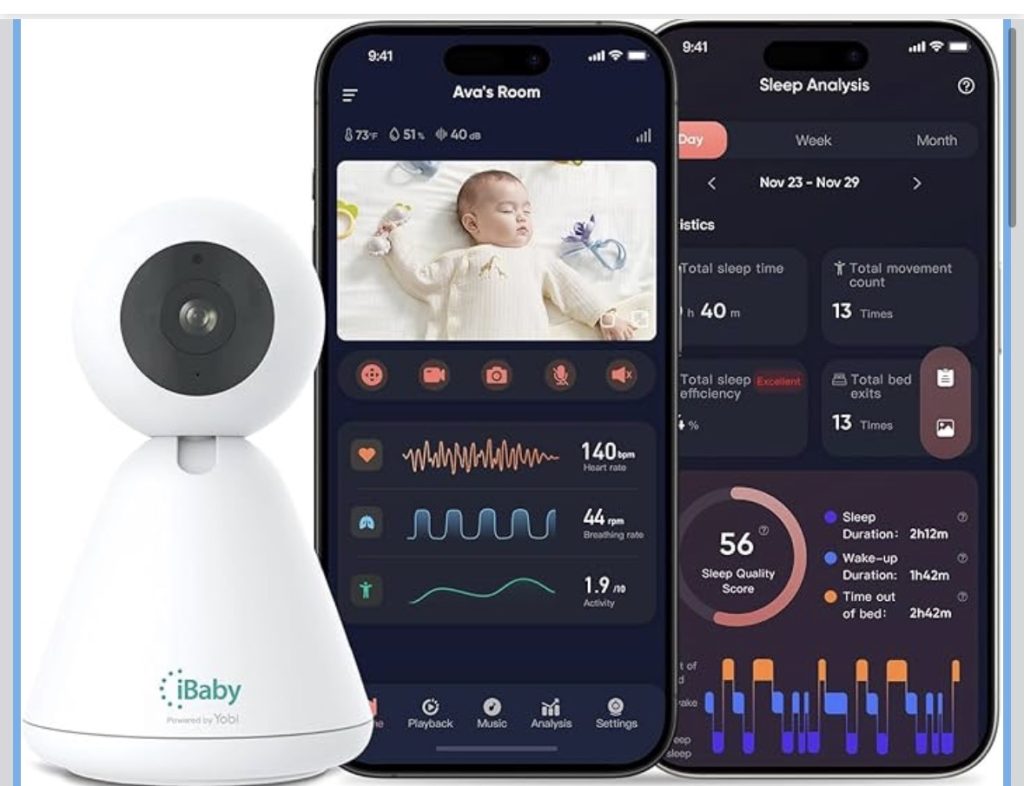
This one is… honestly fascinating.
Instead of socks, clips, or bands, the iBaby uses a camera + AI to track your baby’s breathing, heart rate, and sleep—completely contactless.
So there’s nothing on your baby. No charging a sock. No worrying about it slipping off. No sizing issues as they grow.
It just watches.
It uses light and camera tracking to detect tiny changes in your baby’s skin (like pulse and breathing movement) and turns that into data.
But—this is the catch—it needs a clear view of your baby’s face to work. If your baby rolls, turns away, or gets covered, the readings drop out. So this is great for a newborn… not great for a rolling baby.
It definitely feels very “future of baby monitors.” And it’s one of the pricier options out there.
At the end of the day…
we don’t need the fanciest system—we need one that works when we’re half asleep at 3am.
Motorola Baby Monitor — Highly Recommended (The OG That Just Works)
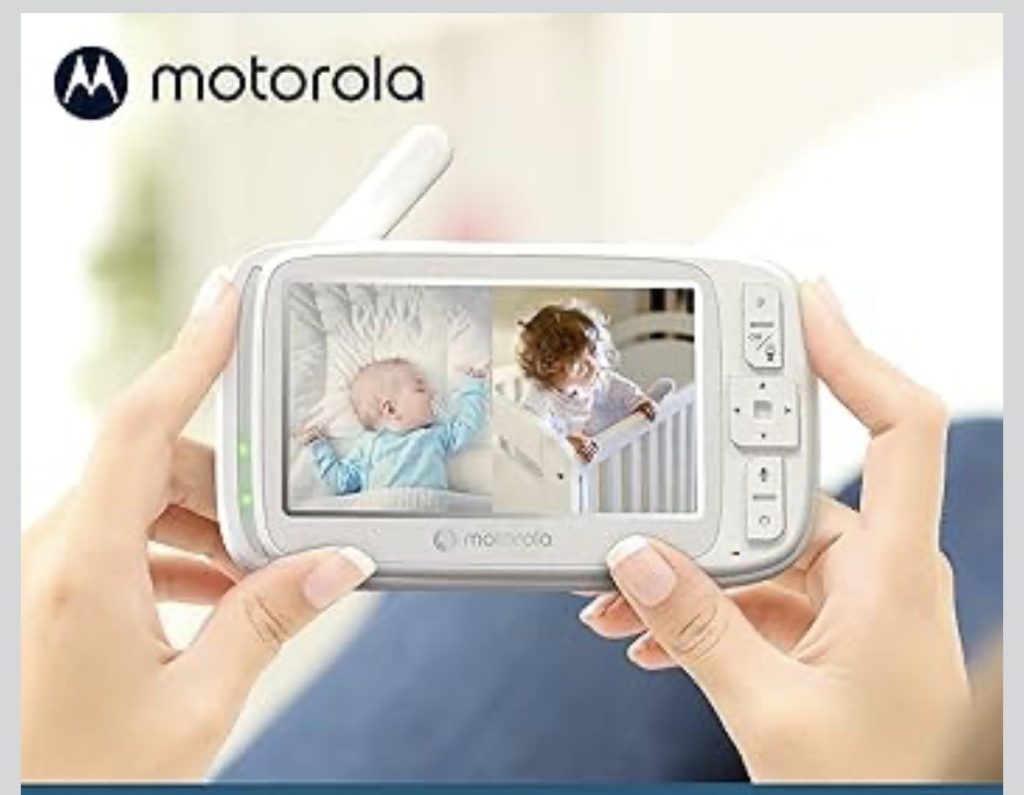
I have an old Motorola baby monitor from 2012.
And somehow… it still works better than most of the new, “smart,” expensive ones I’ve tried.
That alone says everything to me.
So when it comes to recommending a monitor that actually does what you need it to do—this is it.
The newer version keeps things simple:
- No WiFi
- No app
- No constant disconnecting
- Just a handheld monitor that works
You get two cameras, so you can watch multiple rooms (or multiple kids), night vision, two-way audio, temperature monitoring, and lullabies.
And the range is solid—up to about 1000 ft—so you can actually move around your house without losing signal.
It’s not trying to track oxygen levels or analyze sleep cycles or send you 47 notifications.
It just lets you see your baby.
And honestly… that’s what most of us need at 3am.
Why I Recommend It
This is the kind of monitor you buy when:
- You’re DONE with glitchy apps
- You don’t trust WiFi monitors
- You just want something dependable
If a Motorola monitor can last over a decade in real life… I’m confident in what their newer models can do.
The Downsides
Let’s be real—it’s not fancy.
- No app access
- No breathing tracking
- No smart alerts
But if you’ve read this whole post… you already know that sometimes simple = better.